Book a demo call
Pick a free slot. In 30 minutes we show you just IDM live — guided by your questions, not by a slide deck.
Book a call
Scheduling via Microsoft Bookings
Every team, channel and shared mailbox in just IDM is created by request: with name validation, category and release step. Whatever gets created follows your convention — from minute one.
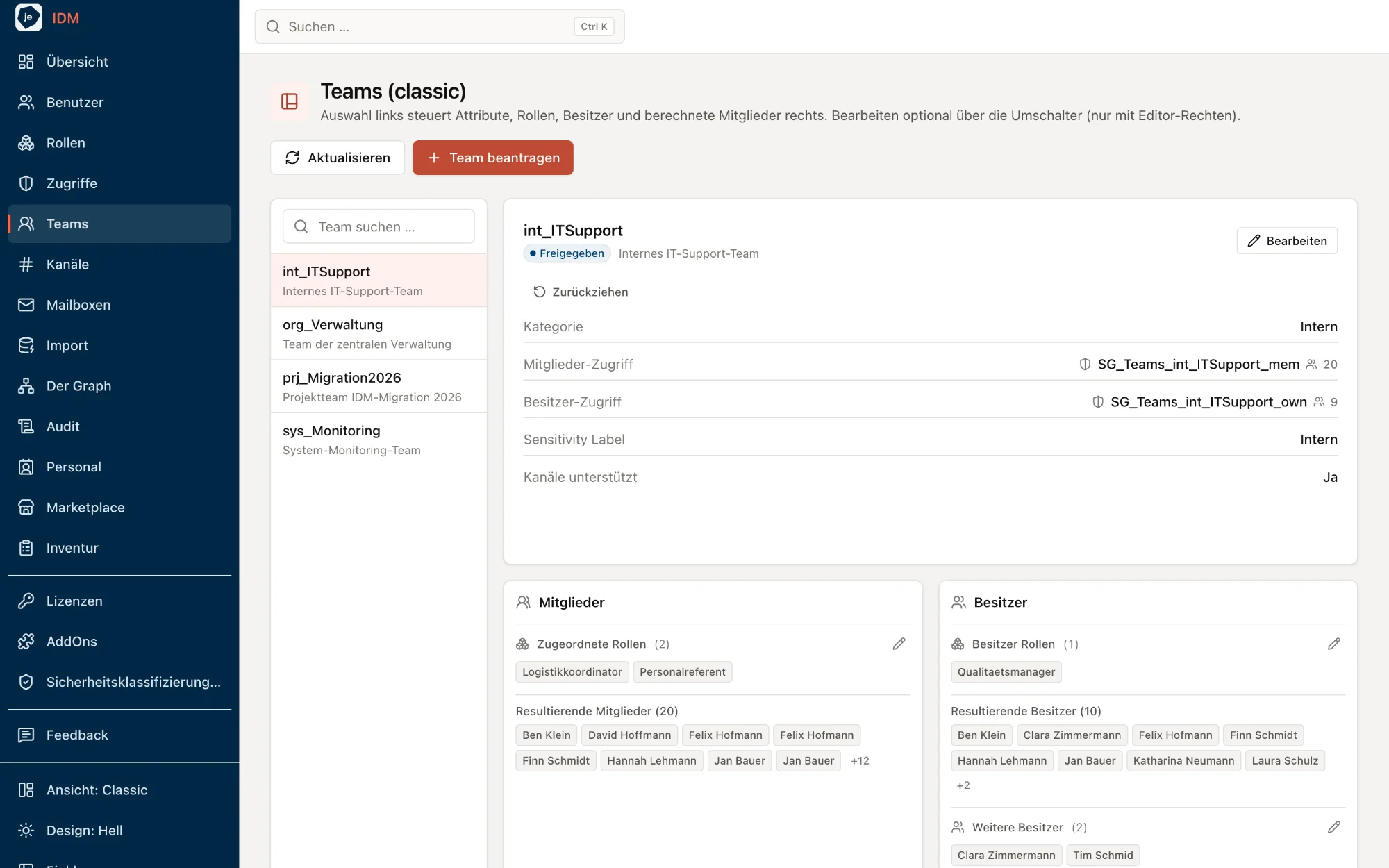
The naming convention is validated, member and owner groups are created automatically. Between wish and reality sits a release step — four eyes instead of sprawl.
Private and shared channels follow your permission model too, with their own owner and member structure.
Teams are archived rather than deleted — including a compliance label right on the team. The history stays traceable.
A shared mailbox is a request: full-access and send-as groups are created along with it and reconciled continuously — cloud and hybrid.
Two ways in, one goal: talk to us for 30 minutes — or try it yourself right away.
Pick a free slot. In 30 minutes we show you just IDM live — guided by your questions, not by a slide deck.
Scheduling via Microsoft Bookings
just IDM runs with sample data at demo.justidm.app. Simply sign up and explore — no installation, no obligation.
Prefer to write to us? idm@justexperts.de
30-minute call · demo environment with sample data · no obligation